5-star ratingTop Rated on Upwork

WordPress to Webflow migration expert

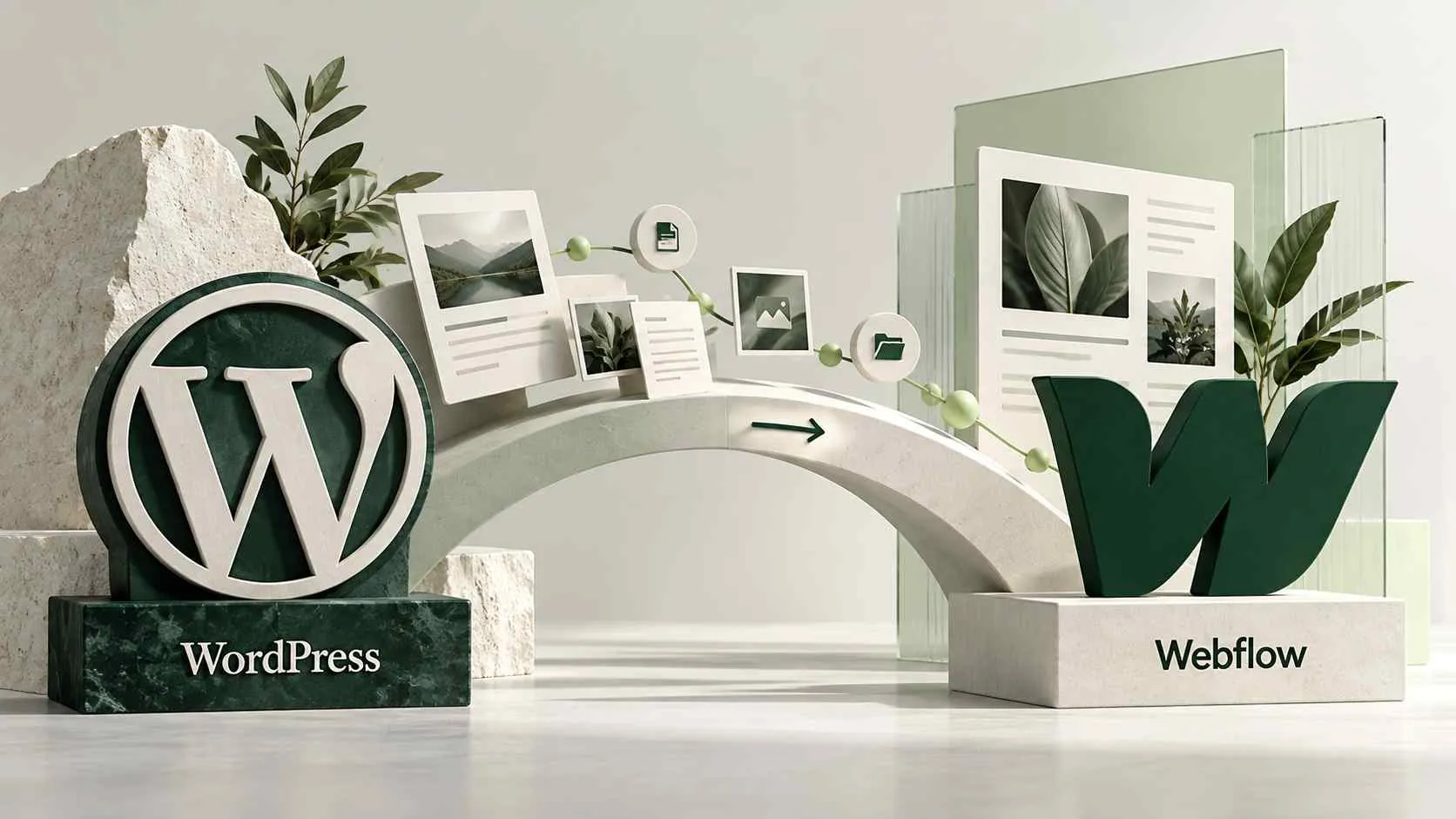
I rebuild your WordPress website in Webflow, with responsive layouts, a clear content plan, and hands-on launch checks. Work directly with a Webflow Certified developer from scope to handover.

  • Every URL mapped
  • 301 redirects
  • SEO data carried over
  • Search Console monitored

Get your free quote

I reply with a scope, timeline and price.

Free quote · Most migrations $1,400–$2,200, 2–3 weeks

Senior Funnel & Membership Architect For Trading Platform

5.0
"Damir delivered high-quality work within a very short timeframe. His design skills were excellent, and the final output exceeded my expectations. He made himself available over the weekend to ensure everything was completed on time, which I truly appreciated. I can't thank him enough for his dedication and professionalism. Outstanding work!"

Endorsed by client

  • Reliable
  • Committed to Quality
  • Solution Oriented
  • Clear Communicator
  • Accountable for Outcomes

Webflow Expert – Make Website Fully Responsive (Finish in 36 Hours)

5.0
"Damir was a fantastic collaborator! He was efficient, knowledgeable, and incredibly easy to work with. He helped us redesign our website, added a sitemap for SEO, and made sure everything was responsive across devices. His communication was clear and consistent, and he always delivered on time. Highly recommend working with him if you're looking for someone reliable and skilled."

Endorsed by client

  • Collaborative
  • Clear Communicator
  • Reliable

Brizy Website Builder Expert

5.0
"I lucked out finding Damir. His creativity and attention to detail went above and beyond my expectations, resulting in a final website that was even better than I could have imagined. He is a brilliant, attentive communicator who is able to listen carefully to your feedback, ask clarifying questions, and then work his own creative magic in a way that's truly unique. I absolutely would recommend Damir to anyone who is looking for an expert website designer."

Endorsed by client

  • Committed to Quality
  • Clear Communicator

How I run your WordPress to Webflow migration

The same five steps on every project, so nothing gets lost along the way.

  1. 01

    Audit and URL map

    Crawl every WordPress page, list every URL and plan the redirects before anything moves.

  2. 02

    Pixel-perfect rebuild

    Your current design rebuilt in Webflow, or a new one, with a clean class system.

  3. 03

    CMS import

    Blog posts, case studies and collections moved into Webflow CMS in bulk.

  4. 04

    SEO and redirects

    301 redirects, meta data, alt text, canonicals, schema and page speed, all checked.

  5. 05

    Launch and monitor

    Launch QA, Google Search Console monitoring and handover training for your team.

Start my WordPress to Webflow migration

Why hire me as your WordPress to Webflow migration expert

Get a free quote

SEO protected by process

Every URL mapped and 301 redirected, meta data and alt text carried over, and Search Console monitored after launch.

40+ Webflow migrations

Top Rated on Upwork with 100% Job Success, so you're not paying someone to learn on your website.

You work directly with me

No account managers or handoffs. The person who quotes your project is the person who builds it.

Webflow Certified developer

5 years building Webflow websites, with clean class systems your team can edit without breaking the layout.

WordPress migration problems I solve before they cost you traffic

Date-based and nested URLs

WordPress URLs like /2024/05/post-name/ can't be reproduced in Webflow, where CMS items live at /collection/item. I map every old URL and use Webflow's pattern-based 301 redirects so none of them break.

Shortcodes and page builder markup

Elementor, Divi and shortcode content doesn't export cleanly. I clean it up so your posts arrive as proper rich text, not broken code.

Plugin features

Popups, sliders, search and membership plugins each need a Webflow equivalent or an integration. I list them all during the audit, so nothing disappears at launch.

What clients say

Client reviews from Upwork, edited only to use my current name.

Top Rated on Upwork100% Job Success

WebFlow Accessibility Expert

5.0
"Damir has the perfect combination of the skills that were essential for our WebFlow website redesign project! He's an experienced WebFlow developer, knows how to custom code, creates beautiful designs across desktop, tablet, and mobile, understands website accessibility, and delivers on marketing and SEO. He's also a genuine pleasure to work with, easy to talk to, friendly, helpful. He was transparent about pricing and kept us informed every step of the way. Damir is now our go-to WebFlow developer for future projects. Can't recommend him enough!"

Endorsed by client

  • Collaborative
  • Clear Communicator
  • Committed to Quality
5.0
"Really happy with the work Damir did; he knows Webflow inside and out and actually took time to teach me the ins and outs of the system and how to manage and make some changes when needed once our site was up and running, which I've never experienced with a freelancer. He was super responsive and easy to reach, which I appreciated since I'm juggling a lot on my end. When I asked for changes, he made them quickly and without any pushback. Great work overall, and I'll definitely be working with him again."
5.0
"Damir was responsive, professional, and reliable. Even after the completion of our contract, he made himself available for follow-up questions and guidance. He went above and beyond the outlined expectations of the contract. Highly recommend."

Laundromat Custom Website Design and Development

5.0
"Damir was wonderful to work with. He was always responsive and available despite the major time difference. We spoke over zoom what I wanted from the website and we went through multiple other websites and selected things I liked or disliked about them so we could take note and build around it. He checked in often to ensure the website was going in the direction I wanted and his workmanship was nothing less than great. The website looks wonderful, has all the features I wanted, and performs very well. He even taught me how to manage it if I ever wanted to some changes to it."

Endorsed by client

  • Collaborative
  • Clear Communicator
  • Reliable
  • Committed to Quality
See more reviews on Upwork
Damir, Webflow migration expert

Damir

Webflow Migration Expert

Hi, I'm Damir, your WordPress to Webflow migration expert

For the past 5 years I've built websites for solo founders, small businesses and mid-size companies, and Webflow is where I do my best work. I've completed 40+ migrations to Webflow and plan every one around protecting the rankings you've already earned.

I've also been the main Webflow developer for three marketing agencies, and the Webflow engineer working alongside the software team at an online real estate listings company. So I build sites marketers can update on their own and developers are happy to work with.

  • Webflow Certified
  • Top Rated on Upwork
  • 100% Job Success
Computer Science
Degree, 2022
Webflow Development
Webflow certification, 2024
Web Design Masterclass
Flux Academy, 2023
See my work history on Upwork

Questions about hiring a WordPress to Webflow migration expert

Have a question that isn't here? Add it to your quote request below.

What does a WordPress to Webflow migration expert do?

A WordPress to Webflow migration expert plans and runs the whole move for you so nothing breaks. A WordPress to Webflow migration has five parts: export your posts and pages (WordPress XML or CSV), rebuild the design in Webflow, import posts into Webflow CMS collections with categories and tags as reference fields, recreate SEO titles, descriptions and alt text from Yoast or Rank Math, and add 301 redirects for every URL that changes. Most WordPress to Webflow migrations take 2 to 3 weeks.

What changes when you move from WordPress?

A WordPress to Webflow project needs a plan for the content, URL structure, and functionality you actually use.

Map what matters. Posts, pages, authors, categories, and custom fields need a content model before import. Builder shortcodes and plugin features need individual review.

Plan every changed path. Keep permalink structures where feasible. Map date-based posts and changed category paths to relevant destinations.

Check the platform fit. WordPress themes, PHP, WooCommerce extensions, and plugins do not run in Webflow. Validate replacements for search, memberships, and checkout before committing.

What I move from WordPress to Webflow for you

On WordPressIn Webflow
PagesRebuilt pixel-perfect in Webflow, or redesigned if you want a refresh.
Blog postsExported from WordPress and bulk imported into a Webflow CMS collection, with featured images and authors.
Categories and tagsBecome Webflow CMS collections linked to posts with reference fields.
Custom post typesMapped to their own CMS collections with matching fields.
Yoast or Rank Math SEOTitles, meta descriptions and Open Graph data carried over page by page.
Contact Form 7, Gravity FormsRebuilt as native Webflow forms or connected to your CRM.
WooCommerceSmaller stores can move to Webflow Ecommerce; larger catalogs are scoped separately.

Why hire a WordPress to Webflow migration expert instead of doing it yourself?

Most traffic lost in a migration comes from broken URLs and missing SEO data, not from the design. A WordPress to Webflow migration expert maps every URL, sets up 301 redirects, carries over titles, descriptions and alt text, and watches Google Search Console after launch, so your rankings survive the move.

Will I lose my Google rankings moving from WordPress to Webflow?

Not if the migration is planned properly. Existing URLs are audited and changed URLs are mapped to relevant replacements, and your Yoast or Rank Math titles, descriptions and alt text are carried over. I also monitor Google Search Console after launch to catch crawl errors early.

Can you migrate my WordPress blog to Webflow CMS?

Yes. Posts are exported from WordPress and bulk imported into Webflow CMS with their slugs, images, authors, categories and SEO fields.

How long does a WordPress to Webflow migration take?

Most WordPress to Webflow migrations take 2 to 3 weeks. Very large blogs or sites with complex plugins can take longer, and you get an exact timeline with your quote.

What happens to my WordPress plugins?

Webflow covers most plugin jobs natively: SEO settings, forms, hosting, security and backups. Anything else gets a Webflow feature, an integration or a small custom script.

Can you move WooCommerce to Webflow?

Smaller stores can move to Webflow Ecommerce. For larger catalogs I'll recommend the best setup during the audit, before any work starts.

How do I hire you for my WordPress to Webflow migration?

Send your website or design through the quote form on this page. I review it and reply with a scope, timeline and price. You can hire me directly or through Upwork, where I'm Top Rated with 100% Job Success.

Free quote

Hire a WordPress to Webflow migration expert

Send me your current website. I'll review it and reply with a scope, timeline and price.

  • Webflow Certified developer
  • 40+ Webflow migrations completed
  • Top Rated on Upwork with 100% Job Success

Prefer Upwork? Hire me on Upwork

Get your free quote

I reply with a scope, timeline and price.

Free quote · Most migrations $1,400–$2,200, 2–3 weeks

Get a free quote